When you enroll in this course, you'll also be enrolled in this Specialization.
Learn new concepts from industry experts
Gain a foundational understanding of a subject or tool
Develop job-relevant skills with hands-on projects
Earn a shareable career certificate
There are 3 modules in this course
By the end of this course, learners will be able to navigate Microsoft Excel 2019 confidently, apply professional formatting, perform accurate calculations, and analyze data using logical and conditional tools.
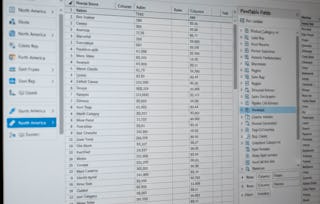
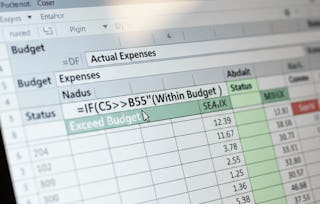
This Excel 2019 – Beginners Training course is designed for absolute beginners who want to build strong, practical spreadsheet skills from the ground up. Learners start by understanding the Excel interface, worksheets, and file management before progressing to formatting data for clarity and professionalism. The course then introduces mathematical operations, logical functions like IF, and essential number formatting to ensure calculations are accurate and meaningful. Finally, learners develop data analysis skills using functions such as COUNTIF, SUM, AVERAGE, MAX, MINIFS, and visual tools like conditional formatting.
What makes this course unique is its step-by-step, concept-first approach, reinforced with practice quizzes and graded assessments that ensure real skill development rather than memorization. Each lesson is aligned with clear learning objectives and real-world use cases, making it ideal for students, professionals, and anyone looking to use Excel effectively for data-driven tasks.
This module introduces beginners to Microsoft Excel 2019 by covering the interface, worksheets, file management, and essential formatting tools needed to confidently start working with spreadsheets.
What's included
10 videos4 assignments
Show info about module content
10 videos•Total 46 minutes
Accessing MS Excel•3 minutes
MS Excel Startup Screen•2 minutes
Understanding the Ribbon•3 minutes
Cells in Excel•1 minute
Worksheet Essentials•3 minutes
Saving the File•1 minute
Formatting Cells Part 1•8 minutes
Formatting Cells Part 2•6 minutes
Custom Cell Styles•6 minutes
Custom Number Formatting in Excel•12 minutes
4 assignments•Total 60 minutes
Getting Comfortable with Excel•30 minutes
First Steps into Excel•10 minutes
Working with Worksheets and Files•10 minutes
Making Data Look Professional•10 minutes
Calculations and Smart Logic
Module 2•3 hours to complete
Module details
This module builds computational skills by teaching number formatting, mathematical operations, logical functions, and working with imported data to perform accurate calculations in Excel.
What's included
10 videos4 assignments
Show info about module content
10 videos•Total 97 minutes
More on Custom Number Formatting•11 minutes
Custom Formats of Data Part 1•5 minutes
Custom Formats of Data Part 2•9 minutes
The BEDMAS Order of Mathematical Operations•9 minutes
Mathematical Operations without Functions•10 minutes
Mathematical Operations without Functions Continued•12 minutes
IF Function•11 minutes
More on IF Function•8 minutes
Importing Data and Calculations•11 minutes
Working with the Count Function•13 minutes
4 assignments•Total 60 minutes
Calculations and Smart Logic•30 minutes
Mastering Numbers and Formats•10 minutes
Doing Calculations Without Functions•10 minutes
Bringing Data into Excel•10 minutes
Data Analysis Made Easy
Module 3•3 hours to complete
Module details
This module focuses on analyzing and interpreting data using conditional functions, summary calculations, proportions, and visual tools such as conditional formatting.
What's included
10 videos4 assignments
Show info about module content
10 videos•Total 83 minutes
Conditional Counts - Count IF Function•5 minutes
Working with the Sum Function Part 1•8 minutes
Working with the Sum Function Part 2•7 minutes
Finding the Average•11 minutes
Conditional Average - Average IFS Function•9 minutes
Finding the Maximum Value Using the MAX Function•9 minutes
Finding the Maximum Value Using the MINFS Function•8 minutes
Determining Proportions and Updating a Calculation•10 minutes
Conditional Formatting•10 minutes
More on Conditional Formatting•8 minutes
4 assignments•Total 60 minutes
Data Analysis Made Easy•30 minutes
Conditional Calculations•10 minutes
Understanding Averages and Extremes•10 minutes
Visual Insights and Smart Formatting•10 minutes
Earn a career certificate
Add this credential to your LinkedIn profile, resume, or CV. Share it on social media and in your performance review.
Welcome to EDUCBA, a place where knowledge is limitless! We provide a wide selection of instructive and engaging programmes designed to empower students of all ages and experiences. From the convenience of your home, start a revolutionary educational experience with our cutting-edge technologies courses and experienced instructors.
When will I have access to the lectures and assignments?
To access the course materials, assignments and to earn a Certificate, you will need to purchase the Certificate experience when you enroll in a course. You can try a Free Trial instead, or apply for Financial Aid. The course may offer 'Full Course, No Certificate' instead. This option lets you see all course materials, submit required assessments, and get a final grade. This also means that you will not be able to purchase a Certificate experience.
What will I get if I subscribe to this Specialization?
When you enroll in the course, you get access to all of the courses in the Specialization, and you earn a certificate when you complete the work. Your electronic Certificate will be added to your Accomplishments page - from there, you can print your Certificate or add it to your LinkedIn profile.
Is financial aid available?
Yes. In select learning programs, you can apply for financial aid or a scholarship if you can’t afford the enrollment fee. If fin aid or scholarship is available for your learning program selection, you’ll find a link to apply on the description page.