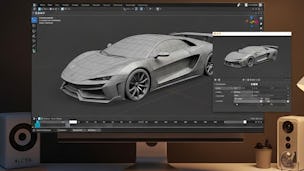
Master the fundamentals of Blender and build a strong foundation in 3D design with this beginner-friendly course. Designed for learners with little or no prior experience, this course guides you through the complete learning journey, from installing Blender and exploring its interface to creating simple 3D scenes and refining models with essential modeling tools.

3D Design in Blender: Learn, Create & Build
Labor Day starts with $70+ in savings on Coursera Plus. Save 40% for 3 months.

3D Design in Blender: Learn, Create & Build
This course is part of Blender 3D Modeling & Rendering for Games & Animation Specialization

Instructor: EDUCBA
2,679 already enrolled
Included with Learn more
Gain insight into a topic and learn the fundamentals.
22 reviews
6 hours to complete
Flexible schedule
Learn at your own pace
What you'll learn
Navigate Blender’s interface, collections, and workspaces.
Create 3D scenes, apply object transformations, and refine models.
Use shaders, materials, bevels, and knife cuts for realism.
Skills you'll gain
Tools you'll learn
Details to know

Shareable certificate
Add to your LinkedIn profile
Assessments
6 assignments
Taught in English
See how employees at top companies are mastering in-demand skills

Build your subject-matter expertise
This course is part of the Blender 3D Modeling & Rendering for Games & Animation Specialization
When you enroll in this course, you'll also be enrolled in this Specialization.
- Learn new concepts from industry experts
- Gain a foundational understanding of a subject or tool
- Develop job-relevant skills with hands-on projects
- Earn a shareable career certificate


Explore more from Design and Product

Why people choose Coursera for their career

Felipe M.
Learner since 2018
"To be able to take courses at my own pace and rhythm has been an amazing experience. I can learn whenever it fits my schedule and mood."

Jennifer J.
Learner since 2020
"I directly applied the concepts and skills I learned from my courses to an exciting new project at work."

Larry W.
Learner since 2021
"When I need courses on topics that my university doesn't offer, Coursera is one of the best places to go."

Chaitanya A.
"Learning isn't just about being better at your job: it's so much more than that. Coursera allows me to learn without limits."
Learner reviews
- 5 stars
90.90%
- 4 stars
4.54%
- 3 stars
4.54%
- 2 stars
0%
- 1 star
0%
Showing 3 of 22
KP
Reviewed on Dec 8, 2025
He was highly entertaining and he explained very complicated concepts in a very clear way. No issues – would highly recommend this course to others.
TV
Reviewed on Jan 6, 2026
Really happy! Exactly what I was hoping it would be
KK
Reviewed on Jan 11, 2026
The instructors were fantastic – very knowledgeable and willing to answer questions as they came up



