When you enroll in this course, you'll also be enrolled in this Specialization.
Learn new concepts from industry experts
Gain a foundational understanding of a subject or tool
Develop job-relevant skills with hands-on projects
Earn a shareable career certificate
There are 3 modules in this course
By the end of this course, learners will be able to apply statistical data analytics techniques using Minitab and Excel, interpret business data through descriptive and inferential methods, evaluate relationships using correlation and ANOVA, and support data-driven business decisions through real-world case studies.
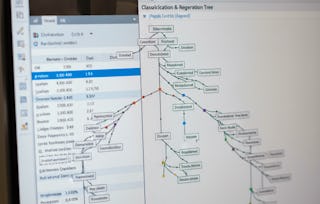
This course provides a practical, industry-focused introduction to data analytics using Minitab, designed for learners who want to move beyond theory and develop job-ready analytical skills. Learners will explore core statistical concepts such as descriptive statistics, hypothesis testing, correlation, ANOVA, and regression, and apply them to real datasets from companies such as Reliance, Infosys, Tech Mahindra, and Colgate Palmolive. The course also integrates Microsoft Excel regression tools, enabling learners to expand their analytical toolkit.
What makes this course unique is its strong emphasis on applied learning through real corporate case studies and guided analysis using Minitab’s Assistant feature. Rather than focusing solely on formulas, the course emphasizes interpretation, validation, and business relevance—skills essential for analysts, managers, and professionals seeking to make confident, data-driven decisions.
This module introduces learners to the fundamentals of data analytics using Minitab, focusing on predictive modeling concepts, essential descriptive statistics, and introductory hypothesis testing techniques through real-world business datasets.
What's included
9 videos4 assignments
Show info about module content
9 videos•Total 96 minutes
Introduction to Predictive Modelling using Minitab•10 minutes
Descriptive Statistics Reliance Example Continue•12 minutes
Descriptive Statistics Infosys Example•12 minutes
Descriptive Statistics Infosys Example Continue•11 minutes
T-test-Infosys and Reliance Example•12 minutes
Chi-Test•9 minutes
4 assignments•Total 60 minutes
Getting Started with Predictive Analytics•10 minutes
Descriptive Statistics in Action – Industry Examples•10 minutes
Introduction to Hypothesis Testing•10 minutes
Graded-Foundations of Data Analytics in Minitab•30 minutes
Statistical Testing and Relationship Analysis
Module 2•3 hours to complete
Module details
This module develops learners’ ability to perform advanced statistical tests and relationship analysis, including ANOVA and correlation, while reinforcing interpretation skills through structured business case studies.
What's included
10 videos4 assignments
Show info about module content
10 videos•Total 97 minutes
Chi-Test Continue•9 minutes
Anova•6 minutes
Anova Continue•10 minutes
Introduction to Correlation Analysis in Minitab•10 minutes
Interpreting Correlation Results•7 minutes
Advanced Correlation Analysis Across Variables•11 minutes
Brief Theory•13 minutes
Tech Mahindra Analysis•8 minutes
Tech Mahindra Analysis Continue•11 minutes
More on Tech Mahindra Analysis•11 minutes
4 assignments•Total 60 minutes
Advanced Hypothesis Testing Techniques•10 minutes
Understanding Relationships with Correlation•10 minutes
Case Study Deep Dive – Tech Mahindra•10 minutes
Graded-Statistical Testing and Relationship Analysis•30 minutes
Business Analytics Case Studies & Excel Integration
Module 3•3 hours to complete
Module details
This module focuses on applying analytics techniques to comprehensive business case studies and extends analytical capabilities by integrating regression analysis using Microsoft Excel.
What's included
9 videos4 assignments
Show info about module content
9 videos•Total 72 minutes
Tech Mahindra and BSE Descriptive•6 minutes
Colgate Palmolive•11 minutes
Colgate-Palmolive Case Study: Regression Overview•8 minutes
Colgate-Palmolive Case Study: Model Interpretation•6 minutes
Colgate-Palmolive Case Study: Descriptive Statistics•4 minutes
Colgate-Palmolive Case Study: Correlation Insights•7 minutes
MS Excel - Regression•11 minutes
Installation of Analysis Toolpak Addins•10 minutes
Installation of Analysis Toolpak Addins Continue•10 minutes
4 assignments•Total 60 minutes
Market & Stock Analysis Using Descriptive Statistics•10 minutes
Comprehensive Company Analysis – Colgate Palmolive•10 minutes
Regression Analysis with MS Excel•10 minutes
Graded-Business Analytics Case Studies & Excel Integration•30 minutes
Earn a career certificate
Add this credential to your LinkedIn profile, resume, or CV. Share it on social media and in your performance review.
Welcome to EDUCBA, a place where knowledge is limitless! We provide a wide selection of instructive and engaging programmes designed to empower students of all ages and experiences. From the convenience of your home, start a revolutionary educational experience with our cutting-edge technologies courses and experienced instructors.
When will I have access to the lectures and assignments?
To access the course materials, assignments and to earn a Certificate, you will need to purchase the Certificate experience when you enroll in a course. You can try a Free Trial instead, or apply for Financial Aid. The course may offer 'Full Course, No Certificate' instead. This option lets you see all course materials, submit required assessments, and get a final grade. This also means that you will not be able to purchase a Certificate experience.
What will I get if I subscribe to this Specialization?
When you enroll in the course, you get access to all of the courses in the Specialization, and you earn a certificate when you complete the work. Your electronic Certificate will be added to your Accomplishments page - from there, you can print your Certificate or add it to your LinkedIn profile.
Is financial aid available?
Yes. In select learning programs, you can apply for financial aid or a scholarship if you can’t afford the enrollment fee. If fin aid or scholarship is available for your learning program selection, you’ll find a link to apply on the description page.